
GTA 6 Pipework mission walkthrough
Choose where you are in Pipework and what you see on screen to get the next action for your controller.
Pipework mission helper
Choose where you’re stuck, then match what you see in the game.
Driveway What do you see?
I don’t have the rent objective
Check the Index for Mandy’s rent
Sources differ
Look for “Collect Mandy’s Rent” in the Index. If it appears, track it.
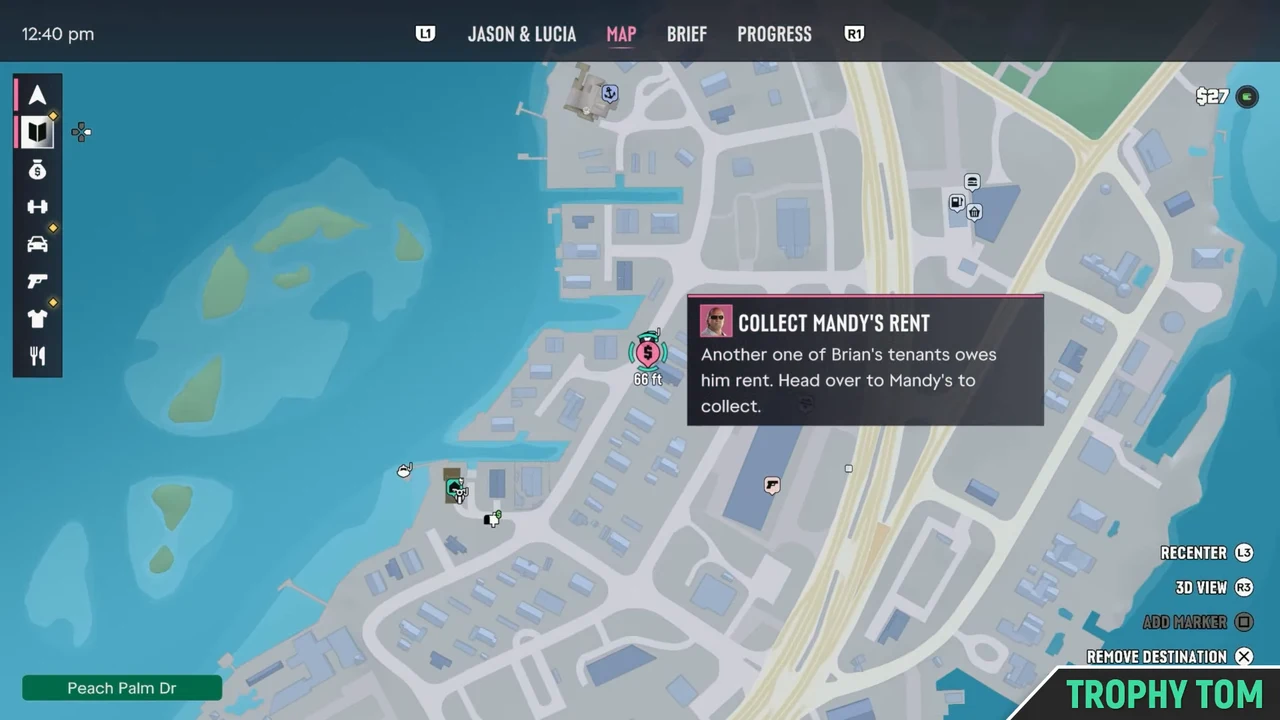
PS5 Check the Index for “Collect Mandy’s Rent.”
Xbox Check the Index for “Collect Mandy’s Rent.”
If the rent objective is already in the Index, track it. If it’s missing, note the last Chapter 1 objective you completed so you can compare it with the recorded routes.Why and evidence
GamesRadar+ records Brian calling after the Lab Fees drop-off and places Unwanted Attention after Pipework in its walkthrough. PowerPyx lists Unwanted Attention among the earlier jobs. The exact prerequisites still need verification.
- Review status
- Sources differ
- Evidence scope
- Chapter 1 before the rent objective appears. The guides document different orders.
- Evidence type
- External gameplay and published walkthroughs
- Reviewed by
- Mandy GTA 6 source review
- Reviewed on
- 20 November 2026
- Game version
- Not recorded in the sources
I have the objective. Which house is hers?
Follow the pink rent marker
Track the pink dollar sign in Key Lento. Look for the green car and flag at the destination.
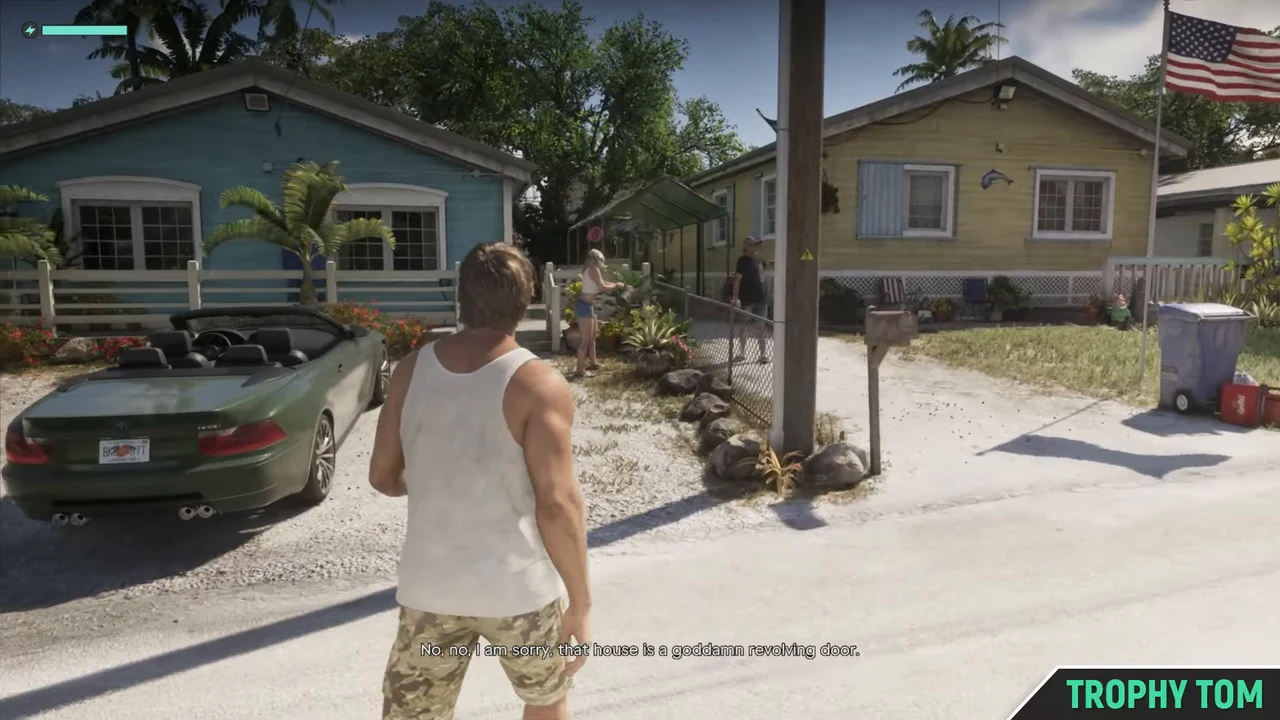
PS5 Select the rent objective in the Index.
Xbox Select the rent objective in the Index.
The pink marker should show “Collect Mandy’s Rent” when selected. If you are at a marina marker or a green house icon, switch back to the rent marker.Why and evidence
The marker identifies the correct destination when the rent job is active. The driveway landmarks confirm you are at the house.
- Review status
- Verified
- Verified scope
- Chapter 1, Pipework. The external recording shows PlayStation prompts; Xbox controls come from the published walkthroughs.
- Evidence type
- External gameplay and published walkthroughs
- Reviewed by
- Mandy GTA 6 source review
- Reviewed on
- 20 November 2026
- Game version
- Not recorded in the sources
I’m at the house. How do I start?
Talk to Mandy outside
Approach Mandy in the yard with the rent objective active and start the conversation.
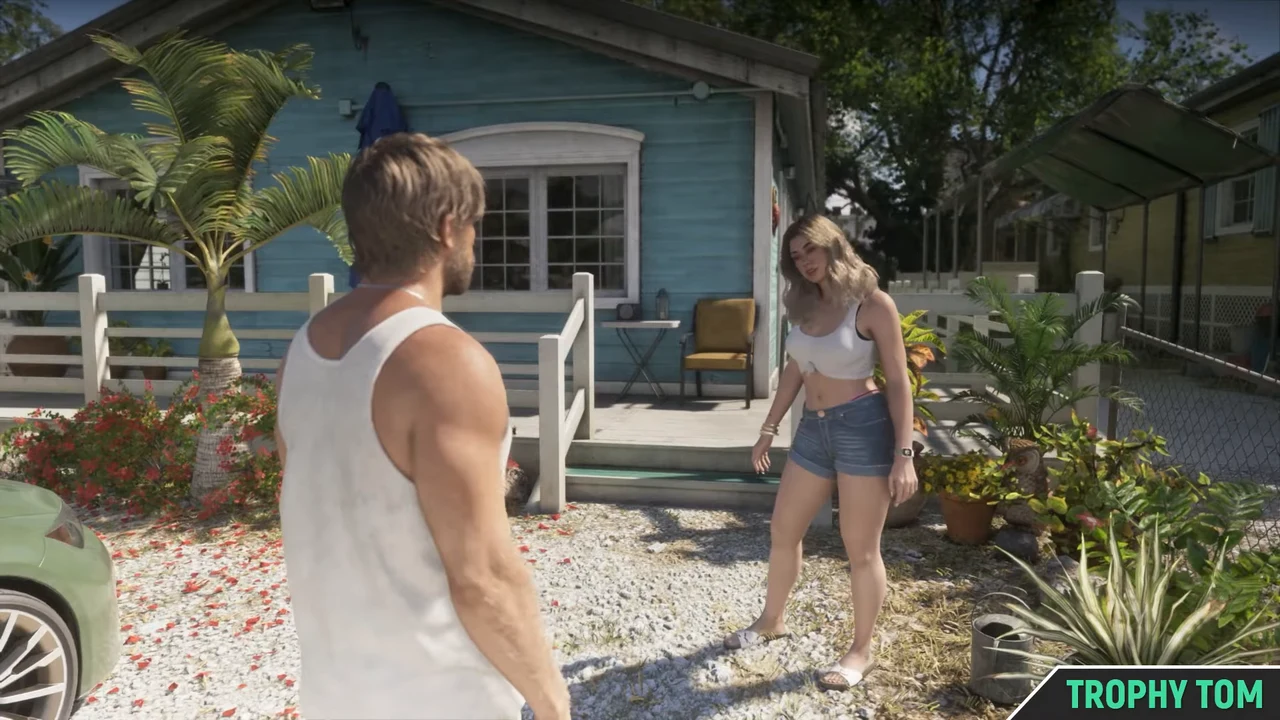
PS5 Use the interaction prompt on your screen.
Xbox Use the interaction prompt on your screen.
Check that the tracked goal is the rent collection. If Mandy is already walking to the door, follow her inside.Why and evidence
The documented route begins with the conversation outside. Mandy leads Jason indoors after it starts.
- Review status
- Verified
- Verified scope
- Chapter 1, Pipework. The external recording shows PlayStation prompts; Xbox controls come from the published walkthroughs.
- Evidence type
- External gameplay and published walkthroughs
- Reviewed by
- Mandy GTA 6 source review
- Reviewed on
- 20 November 2026
- Game version
- Not recorded in the sources
None of these match
Check the exact objective or prompt
Needs verification
Write down your current objective and any button prompt you see. Compare that wording with the situations for this location.
If the wording or room has changed, choose the situation you see now.
Verified check
This note stays in this tab.
Marked solved
Bedroom What do you see?
Mandy is talking and I want to move on
Ask Mandy about the plunger
Face Mandy in the bedroom and choose the plunger question as soon as it appears.
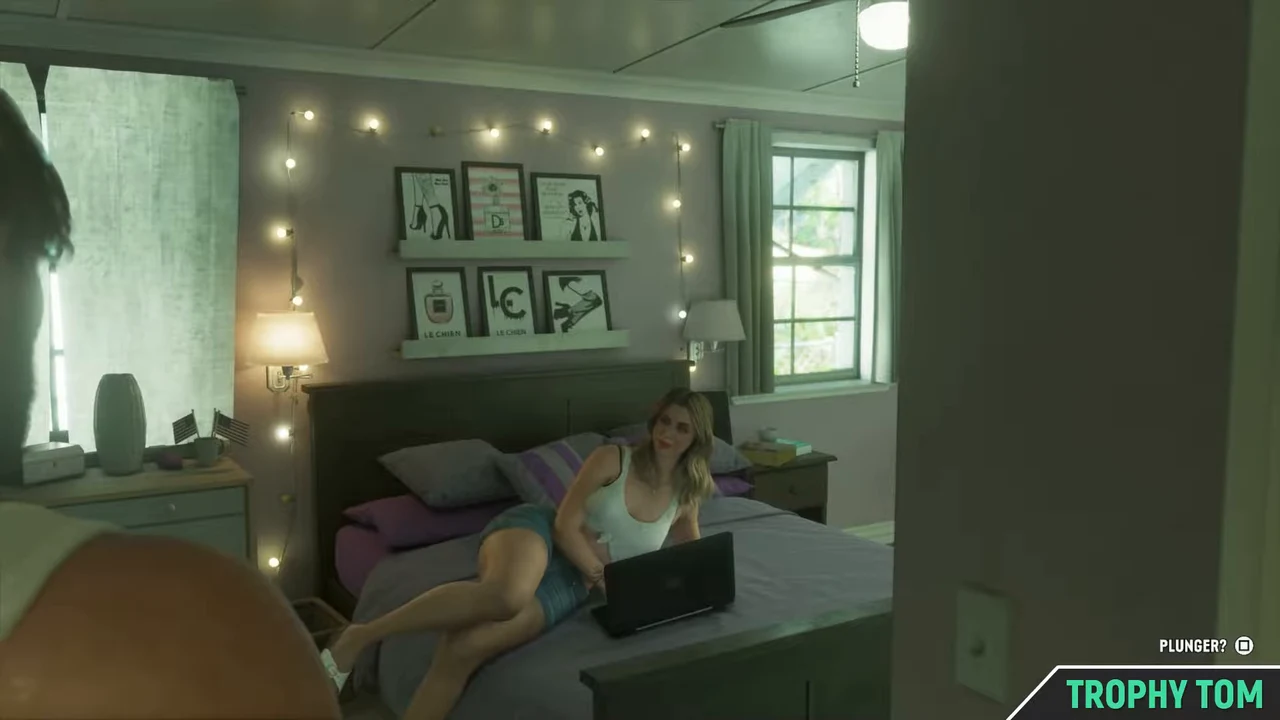
PS5 Hold L2 to focus on Mandy. Press Square when the plunger question appears.
Xbox Hold LT to focus on Mandy. Press X when the plunger question appears.
If the goal says “Pick up the plunger,” walk across the hall to the bathroom.Why and evidence
You can ask during the conversation. The next room is across the hall, and extra lines do not change the repair steps.
- Review status
- Verified
- Verified scope
- Chapter 1, Pipework. The external recording shows PlayStation prompts; Xbox controls come from the published walkthroughs.
- Evidence type
- External gameplay and published walkthroughs
- Reviewed by
- Mandy GTA 6 source review
- Reviewed on
- 20 November 2026
- Game version
- Not recorded in the sources
I can’t see the plunger question
Check that you’re facing Mandy in the bedroom
Follow her into the bedroom and use the focus prompt when facing her.
PS5 Hold L2 to focus on Mandy. Press Square when the plunger question appears.
Xbox Hold LT to focus on Mandy. Press X when the plunger question appears.
Check the current objective. “Pick up the plunger” means you can go straight across the hall.Why and evidence
This is the documented position and interaction for the question. If the room and current objective already match, record what prompt you see for a separate check.
- Review status
- Verified
- Verified scope
- Chapter 1, Pipework. The external recording shows PlayStation prompts; Xbox controls come from the published walkthroughs.
- Evidence type
- External gameplay and published walkthroughs
- Reviewed by
- Mandy GTA 6 source review
- Reviewed on
- 20 November 2026
- Game version
- Not recorded in the sources
None of these match
Check the exact objective or prompt
Needs verification
Write down your current objective and any button prompt you see. Compare that wording with the situations for this location.
If the wording or room has changed, choose the situation you see now.
Verified check
This note stays in this tab.
Marked solved
Bathroom What do you see?
I don’t know where to go from the bedroom
Look across the hall
Walk into the bathroom opposite the bedroom and look at the floor beside the toilet.
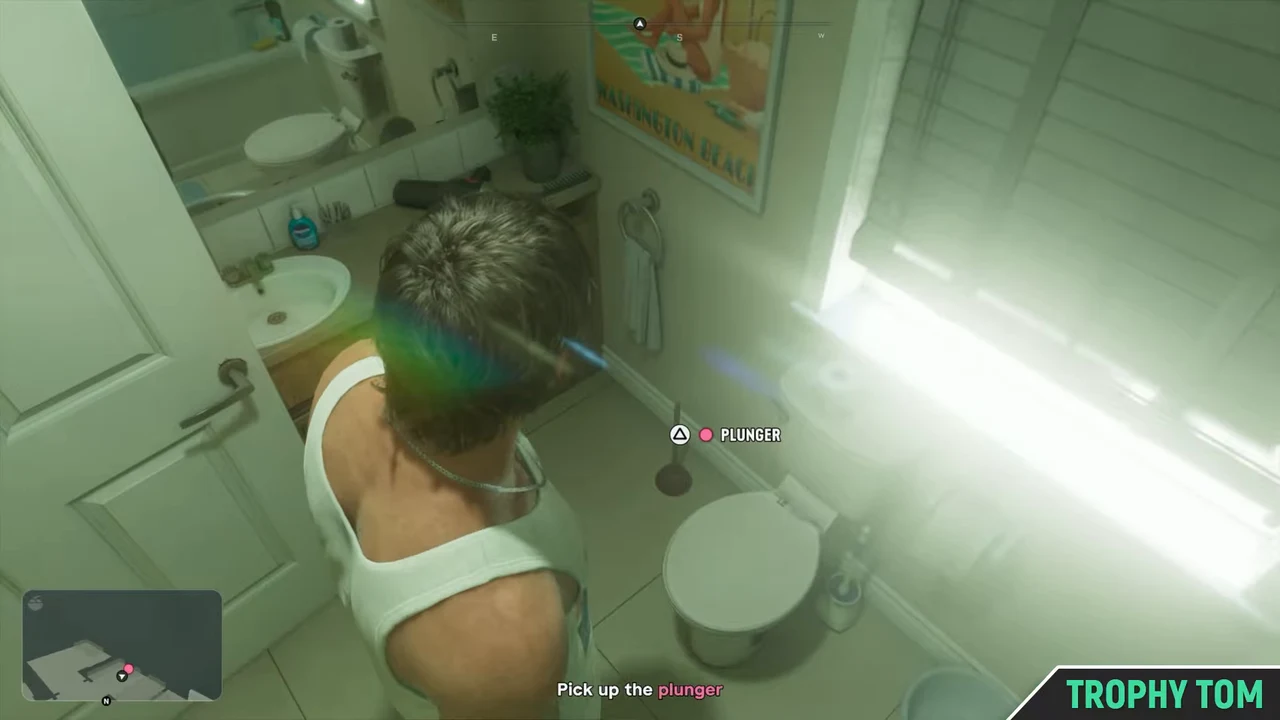
PS5 Press Triangle when the pickup prompt appears beside the toilet.
Xbox Press Y when the pickup prompt appears beside the toilet.
Look for the toilet and the plunger on the floor beside it. Choose the pickup situation once you see it.Why and evidence
The walkthroughs show the plunger on the bathroom floor beside the toilet.
- Review status
- Verified
- Verified scope
- Chapter 1, Pipework. The external recording shows PlayStation prompts; Xbox controls come from the published walkthroughs.
- Evidence type
- External gameplay and published walkthroughs
- Reviewed by
- Mandy GTA 6 source review
- Reviewed on
- 20 November 2026
- Game version
- Not recorded in the sources
I can see the plunger. How do I pick it up?
Use the pickup prompt beside the toilet
Move close to the plunger on the floor and use the displayed pickup action.
PS5 Press Triangle when the pickup prompt appears beside the toilet.
Xbox Press Y when the pickup prompt appears beside the toilet.
If the objective reads “Fix the sink,” take the plunger to the kitchen basin.Why and evidence
The pickup brings the plunger along for the next interaction at the kitchen sink.
- Review status
- Verified
- Verified scope
- Chapter 1, Pipework. The external recording shows PlayStation prompts; Xbox controls come from the published walkthroughs.
- Evidence type
- External gameplay and published walkthroughs
- Reviewed by
- Mandy GTA 6 source review
- Reviewed on
- 20 November 2026
- Game version
- Not recorded in the sources
None of these match
Check the exact objective or prompt
Needs verification
Write down your current objective and any button prompt you see. Compare that wording with the situations for this location.
If the wording or room has changed, choose the situation you see now.
Verified check
This note stays in this tab.
Marked solved
Kitchen What do you see?
Where do I interact in the kitchen?
Stand in front of the kitchen sink
Bring the plunger to the basin and use the interaction that appears there.
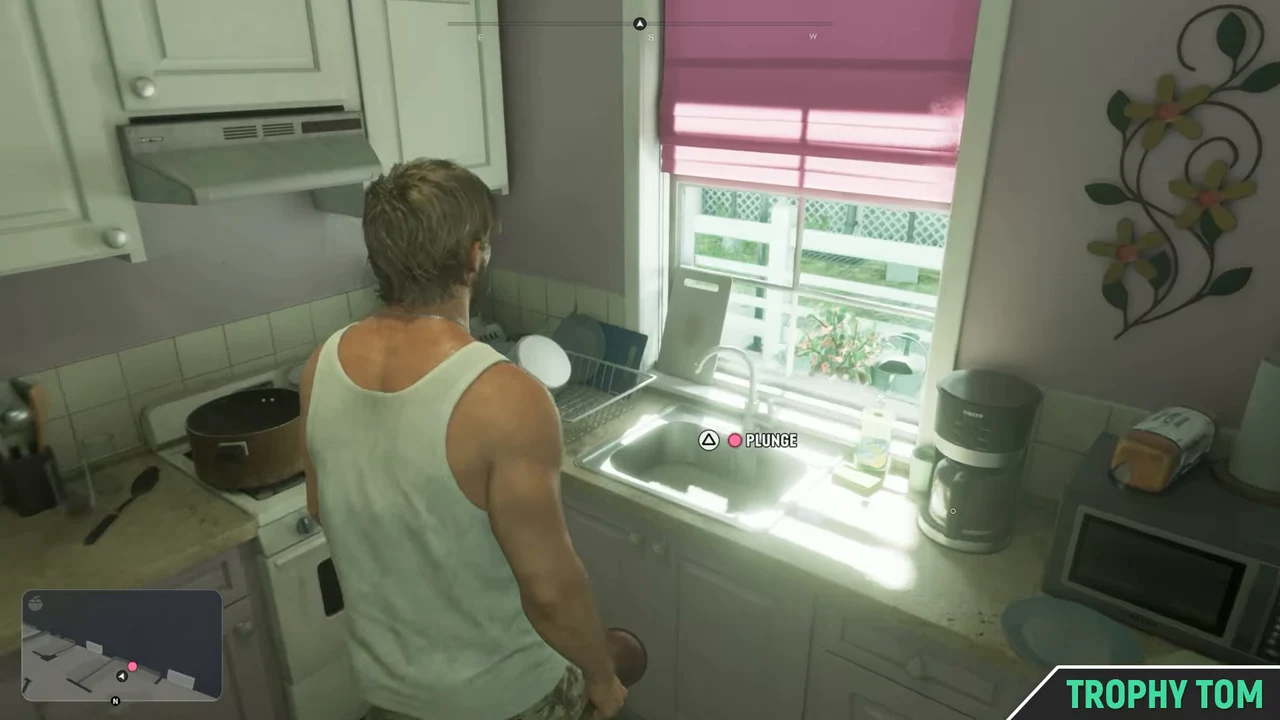
PS5 Press Triangle when the interaction prompt appears by the sink.
Xbox Press Y when the interaction prompt appears by the sink.
If the objective still shows “Pick up the plunger,” go back to the toilet and collect it. “Fix the sink” is the next objective after the pickup.Why and evidence
The kitchen interaction starts the two-part repair after you pick up the plunger.
- Review status
- Verified
- Verified scope
- Chapter 1, Pipework. The external recording shows PlayStation prompts; Xbox controls come from the published walkthroughs.
- Evidence type
- External gameplay and published walkthroughs
- Reviewed by
- Mandy GTA 6 source review
- Reviewed on
- 20 November 2026
- Game version
- Not recorded in the sources
I’m at the sink and there’s no interaction prompt
Check that Jason picked up the plunger
If the plunger is still by the toilet, pick it up before returning to the sink.
PS5 Press Triangle when the pickup prompt appears beside the toilet.
Xbox Press Y when the pickup prompt appears beside the toilet.
If the objective still says “Pick up the plunger,” use the pickup by the toilet. If it says “Fix the sink,” return to the basin under the pink blind.Why and evidence
The walkthroughs pick up the plunger before interacting with the sink. If Jason is already carrying it, compare the current objective and prompt with the other kitchen states.
- Review status
- Verified
- Verified scope
- Chapter 1, Pipework. The external recording shows PlayStation prompts; Xbox controls come from the published walkthroughs.
- Evidence type
- External gameplay and published walkthroughs
- Reviewed by
- Mandy GTA 6 source review
- Reviewed on
- 20 November 2026
- Game version
- Not recorded in the sources
Jason is holding the plunger at the basin
Plunge until the prompt changes
Click the right stick repeatedly while Jason is working above the basin.
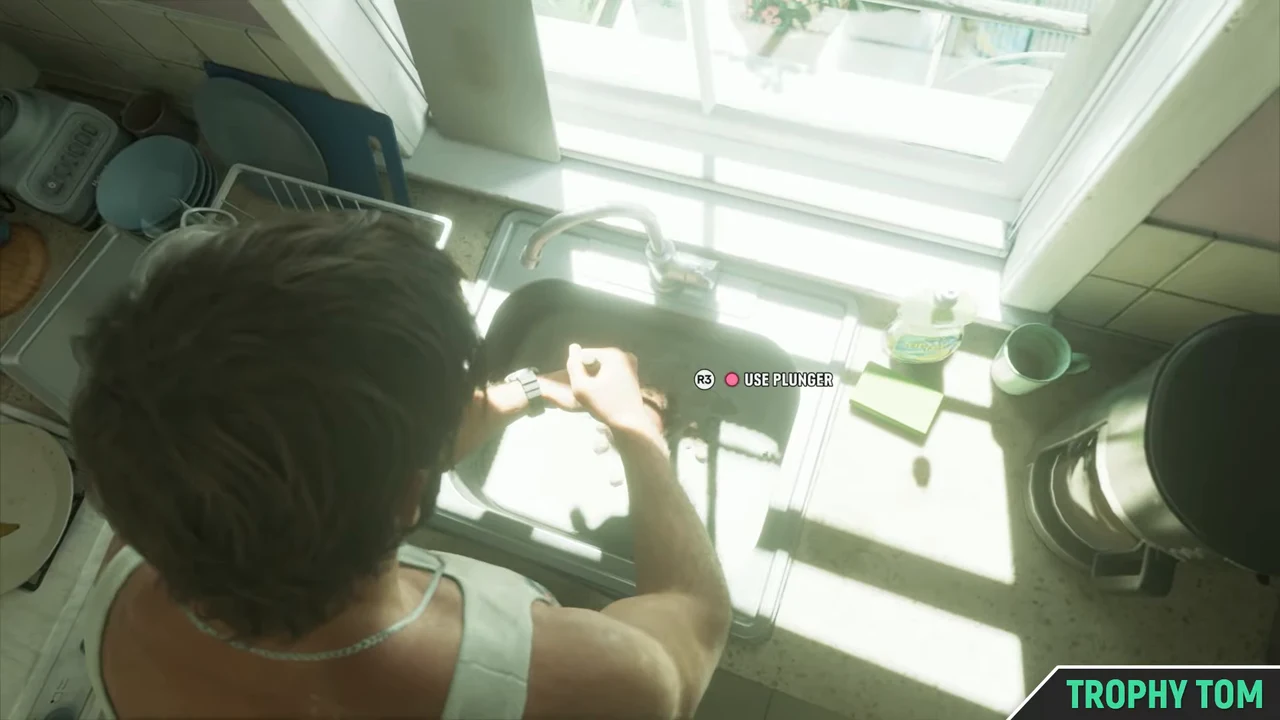
PS5 Click the right stick (R3) repeatedly.
Xbox Click the right stick (RS) repeatedly.
If the prompt changes to “Use Wrench” and Jason moves under the basin, choose the wrench situation.Why and evidence
Once the plunging phase ends, Jason moves below the sink and the next prompt shows the wrench.
- Review status
- Verified
- Verified scope
- Chapter 1, Pipework. The external recording shows PlayStation prompts; Xbox controls come from the published walkthroughs.
- Evidence type
- External gameplay and published walkthroughs
- Reviewed by
- Mandy GTA 6 source review
- Reviewed on
- 20 November 2026
- Game version
- Not recorded in the sources
Jason is under the sink with a wrench
Hold the wrench input
Hold the wrench control when the on-screen prompt changes under the basin.
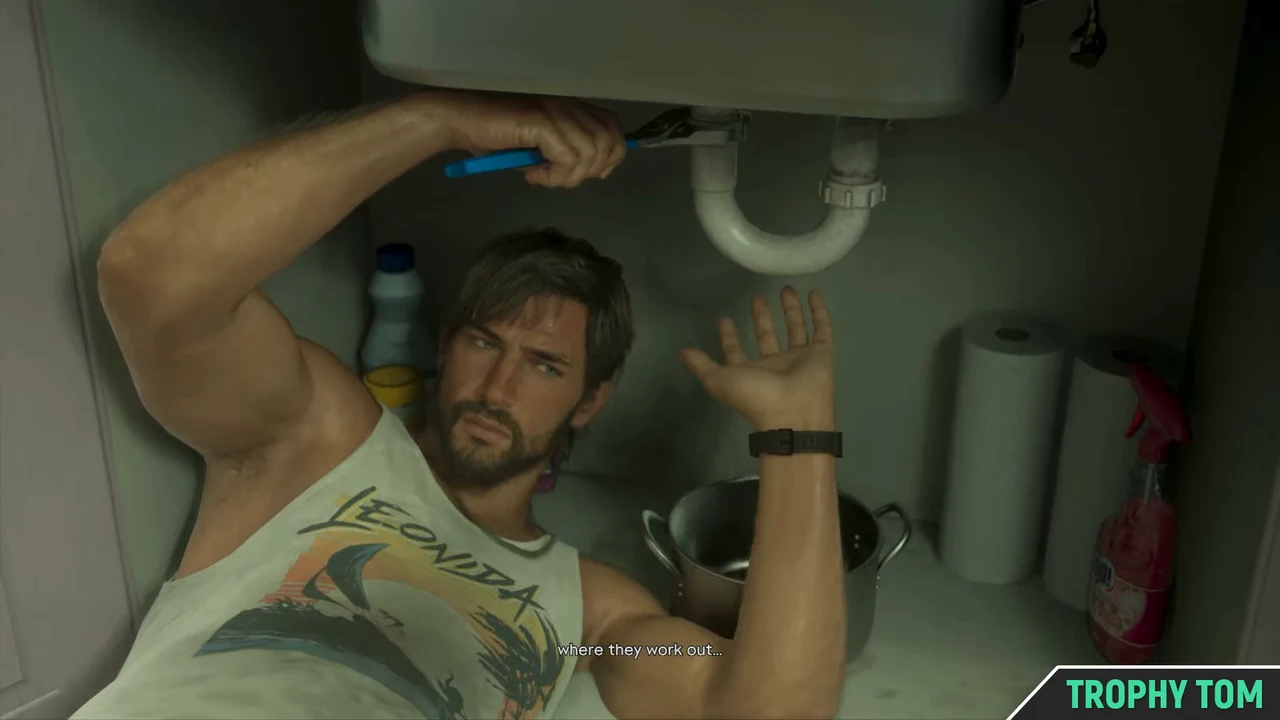
PS5 Hold R2 when the wrench prompt is on screen.
Xbox Hold RT when the wrench prompt is on screen.
If “Use Wrench” is still on screen, follow the hold prompt. When the repair changes to dialogue, let the conversation finish.Why and evidence
The repair has a second phase below the sink. The footage and walkthroughs show a new input at that point.
- Review status
- Verified
- Verified scope
- Chapter 1, Pipework. The external recording shows PlayStation prompts; Xbox controls come from the published walkthroughs.
- Evidence type
- External gameplay and published walkthroughs
- Reviewed by
- Mandy GTA 6 source review
- Reviewed on
- 20 November 2026
- Game version
- Not recorded in the sources
I followed the repair prompts and it still hasn’t moved on
Identify the last on-screen prompt
Needs verification
Check whether the screen still shows plunging, the wrench, or a conversation. Choose the matching state if you see one.
PS5 Read the objective and the last input prompt on your screen.
Xbox Read the objective and the last input prompt on your screen.
“Use Plunger” and “Use Wrench” are separate phases. Choose the matching situation if either prompt is visible. Other states need verification.Why and evidence
The documented repair advances from the plunger to the wrench and then the closing exchange. A screen outside that sequence needs verification. Use Still stuck to note the exact objective or prompt.
- Review status
- Needs verification
- Evidence scope
- Pipework kitchen after an attempted repair. The reference image shows the ordinary wrench phase.
- Evidence type
- External gameplay and published walkthroughs
- Reviewed by
- Mandy GTA 6 source review
- Reviewed on
- 20 November 2026
- Game version
- Not recorded in the sources
None of these match
Check the exact objective or prompt
Needs verification
Write down your current objective and any button prompt you see. Compare that wording with the situations for this location.
If the wording or room has changed, choose the situation you see now.
Verified check
This note stays in this tab.
Marked solved
Exit What do you see?
Where did the cigar box land?
Look at the ground outside
Walk out and look on the street in front of Mandy’s house for the tossed cigar box.
Show screenshot (spoiler)
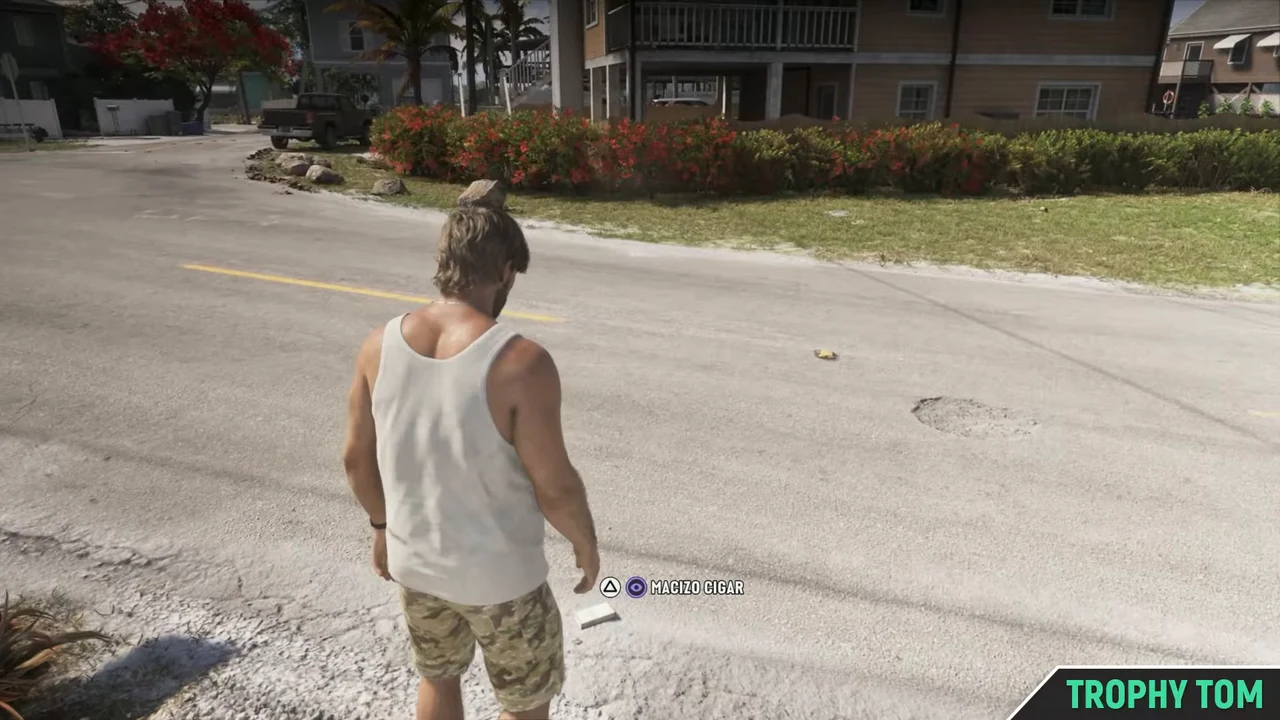
PS5 Use the interaction prompt on your screen.
Xbox Use the interaction prompt on your screen.
Look at the ground along the driveway. If you already saw the Macizo Cigar pickup notification, you can leave.Why and evidence
The Macizo Cigar is an optional pickup after the argument.
- Review status
- Verified
- Verified scope
- Chapter 1, Pipework. The external recording shows PlayStation prompts; Xbox controls come from the published walkthroughs.
- Evidence type
- External gameplay and published walkthroughs
- Reviewed by
- Mandy GTA 6 source review
- Reviewed on
- 20 November 2026
- Game version
- Not recorded in the sources
I finished the conversation. What now?
Leave the house
Go outside once the closing conversation finishes. Follow the objective shown when you leave.
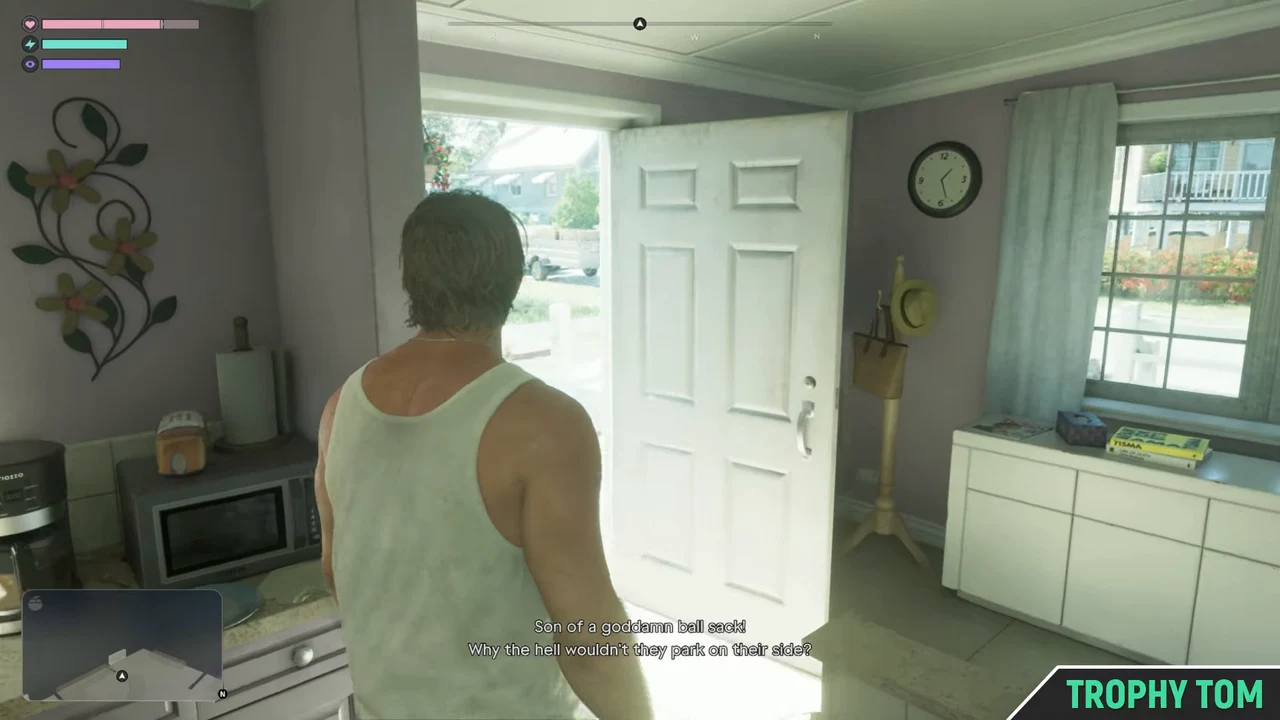
PS5 Follow the current objective or walk out once the conversation has ended.
Xbox Follow the current objective or walk out once the conversation has ended.
When control returns and the front door is open, walk through it to the driveway.Why and evidence
The walkthrough concludes by leaving the house. The cigar pickup is optional.
- Review status
- Verified
- Verified scope
- Chapter 1, Pipework. The external recording shows PlayStation prompts; Xbox controls come from the published walkthroughs.
- Evidence type
- External gameplay and published walkthroughs
- Reviewed by
- Mandy GTA 6 source review
- Reviewed on
- 20 November 2026
- Game version
- Not recorded in the sources
None of these match
Check the exact objective or prompt
Needs verification
Write down your current objective and any button prompt you see. Compare that wording with the situations for this location.
If the wording or room has changed, choose the situation you see now.
Verified check
This note stays in this tab.
Marked solved
Your choices and confirmations stay in this browser.
When does Brian call about Mandy’s rent?
In Chapter 1, check the Index for Collect Mandy’s Rent. When it appears, follow the pink dollar marker to Key Lento. At 00:04 in the gameplay recording, the marker is already active.
Evidence for the reported unlock routes
- Conclusion
- Brian’s call leads to the rent objective in Chapter 1. The full list of required earlier jobs still needs verification.
- Scope
- Jason’s early missions before the rent marker appears.
- Evidence type
- External gameplay and published walkthroughs.
- Status
- Sources differ on the lead-up to the call.
- Checked
- Mandy GTA 6 source review, 20 November 2026. Game build unrecorded.
GamesRadar+ describes a call after the Lab Fees drop-off and places Unwanted Attention after Pipework in its walkthrough. PowerPyx lists Gear Up, Lab Fees, Just a Scratch and Unwanted Attention as earlier jobs.
Gameplay recording
The time beside each screenshot refers to Trophy Tom’s Pipework recording. The on-screen wrench prompt appears at 02:56. The recording shows PlayStation button prompts.